BIG FONT

The objects can be placed on the left or right side of the text boundary or automatically centered in the middle depending on the position of the item over the text.

| Floating Objects | ||||||||
| HTML | ||||||||
| Tutorials | ||||||||
|
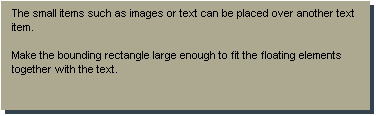
Some of the objects such as images or text can be placed over another text block to wrap the letters around these elements. Place a small object on the top of the bigger text paragraph and export as HTML format. BIG FONT
The objects can be placed on the left or right side of the text boundary or automatically centered in the middle depending on the position of the item over the text. |
||||||||
|
|
||||||||
| Welcome | ||||||||
| Text Boundary | ||||||||
| Text List | ||||||||
| Ruler in Text | ||||||||
| Text Animation | ||||||||
| Overlapping Images | ||||||||
| Overlapping Text | ||||||||
| Floating Objects | ||||||||
| Fill Options | ||||||||
| Transparency | ||||||||
| Tool Tip | ||||||||
| Links on Text | ||||||||
| Links on Image | ||||||||
|
|
||||||||
| Audio | ||||||||
| Animated Objects | ||||||||
| Embedded Objects | ||||||||
| Embedded Images | ||||||||
| Publish Options | ||||||||